 Final Code
Test your website on iPhone and Android shapes, tablets and foldables in one window
Final Code runs your web app's dev server and shows it in phone, tablet and foldable screen shapes, and runs Capacitor and Ionic apps on real phones.
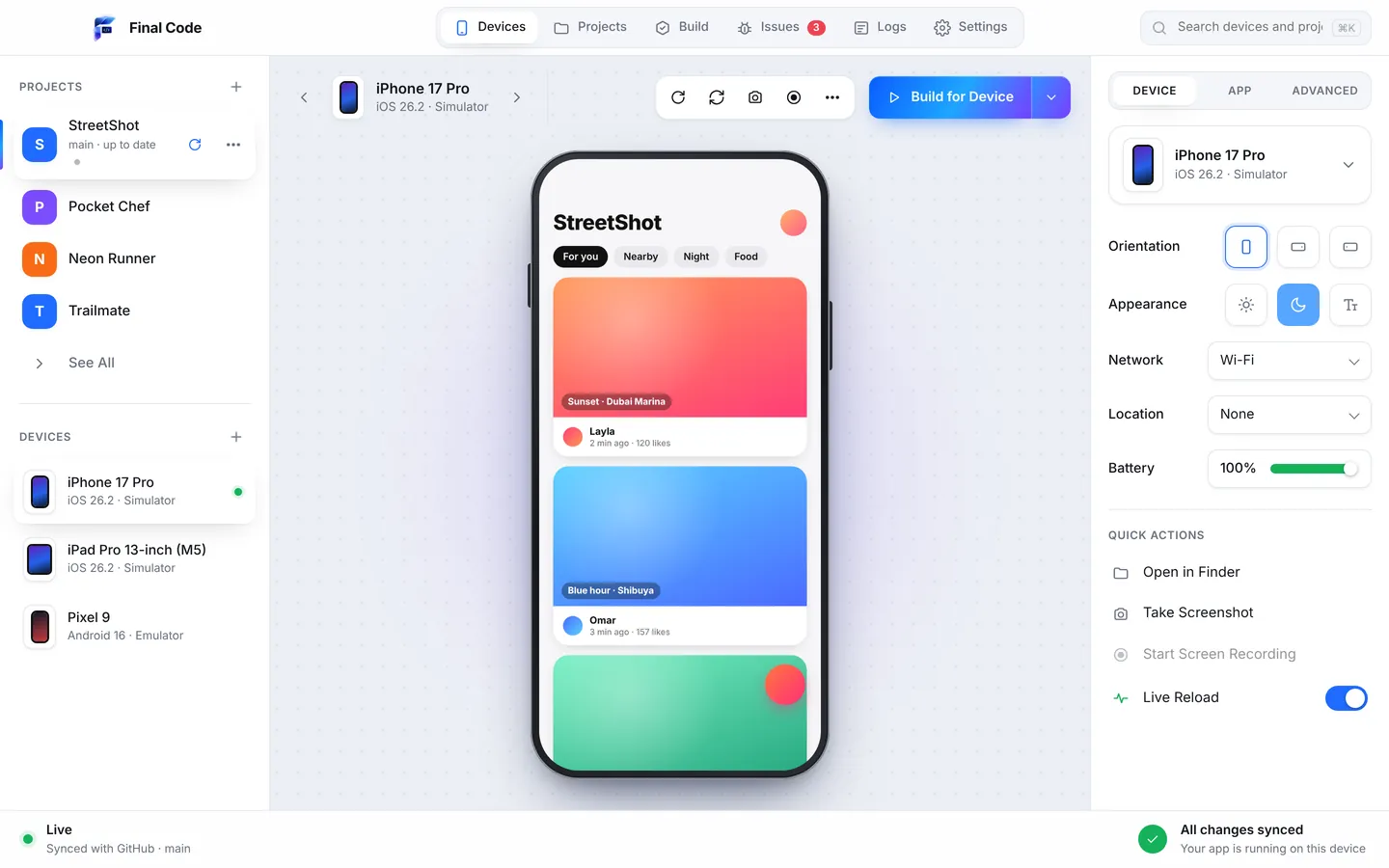
Most people visit your website on a phone. Most websites are built on a laptop. That gap is where layouts break: a menu that only opens on hover, a hero image that crops off the headline, a sticky footer that covers the Buy button. If you want to test your website on iPhone and Android screens properly, you need to see those screens while you work, not after you deploy.
Final Code is a Mac app that does exactly that. Open your project, and it starts the dev server for you, whatever the framework: React, Next.js, Vite, Vue, Svelte, plain HTML or anything else with a dev server. Built websites work too. Then it shows the site in screen shapes for iPhone, iPad, Android phones and foldables, one click apart, one click apart in one window.
A mobile web preview on Mac that shows every shape
Resizing a browser window is a start, but it does not show you how the page feels inside the shape of a real device. Final Code's screen shapes put your web app in the outline of a phone, a tablet or a foldable, so the proportions are right and you can compare them together. Edit a component, save, and your dev server's live reload brings the change to every shape.
Foldables deserve a special mention. A folding phone can be tall and narrow when closed and nearly square when open. Layouts that assume "phone means narrow" fall apart on the inner screen. Seeing the foldable shape next to a regular phone and a tablet catches that straight away.
How it works
Open the project
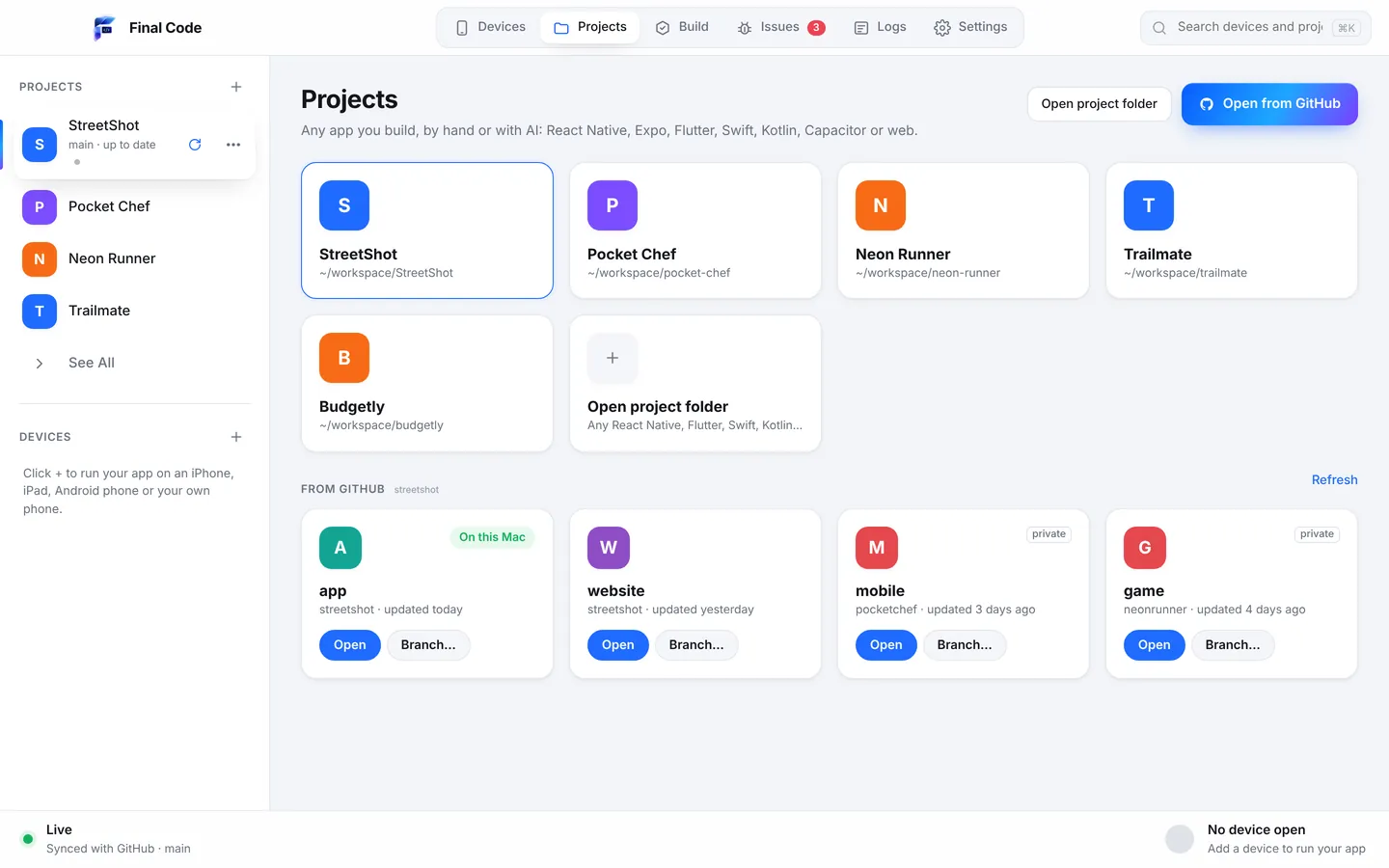
Choose the folder or a GitHub repository. Final Code detects that it is a web app or a Capacitor or Ionic app, even inside a monorepo with other apps.
Let it start the dev server
No commands to type. If Node or another tool is missing, the Project check says so, and Settings, then Tools installs it with one click.
Choose screen shapes
Pick iPhone, iPad, Android and foldable shapes. Switch between them in one click.
Build, save, compare
Every save reloads every shape. For Capacitor and Ionic, run the native app on simulators, emulators and real phones from the same window.
Any framework
React, Next.js, Vite, Vue, Svelte, plain HTML and more. If your project has a dev server, Final Code can start it and show it. No setup files.
Phone, tablet and foldable shapes
See your web app in iPhone, iPad, Android and foldable screen shapes, so a breakpoint problem shows up the moment you cause it.
Capacitor and Ionic, native
Hybrid apps are detected and run as real apps on iOS Simulators, Android Emulators, iPhones and Android phones, with release builds on the phones.
Web games too
three.js and other web games run like any web app, so you can check touch controls and aspect ratios on every shape before players do.
GitHub in sync
Final Code checks GitHub every minute, pulls new commits and reloads. Your local edits are kept or stashed, never lost.
Screenshots of every shape
Capture one device or all of them in one go, or record the screen. Useful for client reviews, design sign-off and bug reports.
Capacitor app testing, without the native maze
Capacitor and Ionic let you ship a web app as an iPhone and Android app. That is a big win, until the native side needs attention. Suddenly you are in Xcode and Android Studio, dealing with signing, Gradle, CocoaPods and a plugin that behaves differently on each platform. Final Code takes care of running the native shells for you.
Open your Capacitor project and Final Code knows what it is. Run it on the iOS Simulator and an Android Emulator, mirrored live in one window, where you can click, swipe, type and rotate. Plug in an iPhone, or pair an Android phone over Wi-Fi with a code, and it gets a real release build with your code inside. The iPhone build is signed automatically with the account in Xcode or an App Store Connect API key.
On simulators and emulators, the device inspector lets you test the conditions hybrid apps struggle with: offline and 5G networks, light and dark appearance, larger text, landscape and flipped orientation, GPS locations like Dubai or New York, and low battery. Every build that reached a phone is kept in the build history, ready to reinstall in one click.
Mobile web mistakes you will catch
These are the bugs that make a site feel broken on a phone even though it looks fine on a laptop. Seeing every shape is the quickest way to find them.
Full-height sections that are too tall
A hero set to the full viewport height can hide behind the browser's toolbars on a phone, cutting off your call to action. In a phone shape you notice the missing button immediately.
Content under the notch or the home bar
Fixed headers and bottom bars that ignore safe areas collide with the notch, the Dynamic Island or the home indicator. Hybrid apps are especially prone to this.
Hover-only interactions
Dropdowns and tooltips that only open on hover do nothing on a touch screen. Clicking through the site in a phone shape, the way a thumb would, makes these obvious.
Sideways scrolling
One wide image, table or code block can make an entire page scroll sideways on a small screen. Next to a tablet and a foldable shape, the overflow stands out.
Native plugins that fail on one platform
In a Capacitor app, a camera or file plugin may work on Android and fail on iOS, or the reverse. Errors, crashes and failed builds land in the Issues box as one entry each, with the device, the stack and the log lines just before.
For beginners building their first site
You might have built your first website with a tutorial or a template, and it looks great on your laptop. Final Code helps you see it the way your visitors will. There is no terminal to learn: it starts the dev server for you, and if your Mac is missing Node or another tool, it installs it with one click. Plain-word messages with one button each walk you through the rest.
If something breaks, the Issues box explains it in plain words. For a broader introduction to testing on phones, read our guide to testing on iPhone and Android.
For agencies and product teams
Web agencies live in review cycles. A client says "the menu is broken on my phone", and the team spends a morning finding out which phone. With Final Code, every designer and developer can keep iPhone, iPad, Android and foldable shapes open while they work, and capture all of them in a single screenshot for the client. Projects open straight from GitHub on any branch, and Final Code pulls new commits every minute, so a review Mac always shows the latest work.
Product teams with a web app and a native app in one monorepo can switch between them in one click, so the React Native or Expo app and the website get tested on the same desk. When a problem needs a second pair of eyes, Share problem builds one report with the file and line, what changed since it last worked, the device and the Mac, with secrets removed. Send it as a private link that lasts seven days, a GitHub issue or a file. Pricing is on the pricing page.
Web apps built with AI
Web apps are the most common thing people build with AI. Claude, ChatGPT, Cursor, GitHub Copilot, Gemini and Windsurf can scaffold a full Next.js or Vite app in minutes. They usually design for a desktop browser, though, and they cannot see how the result looks on a phone. Final Code helps close that gap.
It writes a .finalcode folder in your project, never committed, with live status, logs, issues, screenshots and the build log. An AI assistant can read it and ask Final Code to run, reload, tap, swipe, type and take screenshots, so it can look at its own work in a phone shape and fix what it sees. If the AI pushes to GitHub, Final Code picks up the change by itself. Learn more on the AI app builders page.
Compared with browser device modes and other tools
Chrome DevTools has a device toolbar and Safari has Responsive Design Mode. Both are free, built in and genuinely useful for quick checks, and you should keep using them for debugging CSS. They show one viewport at a time inside a desktop browser, and they do not run your Capacitor app as a native app. Final Code adds several phone, tablet and foldable shapes, starts your dev server for you, runs hybrid apps on simulators, emulators and real phones, and keeps logs and issues in one place. For native tooling, see Final Code vs the Xcode Simulator and vs Android Studio, or browse all comparisons.
Product names are trademarks of their owners. Comparison based on publicly available information as of October 2026.
Final Code is an easy to use, all-in-one Mac app for macOS 13 or later, on Apple silicon and Intel. Your code never leaves your Mac. See every feature, or check our pages for Flutter and Unity if you build beyond the web.
How can I test my website on iPhone and Android screens from a Mac?
Open your project in Final Code. It starts your dev server and shows the site in iPhone, iPad, Android and foldable screen shapes. Save a change and every shape reloads. It works with React, Next.js, Vite, Vue, Svelte, plain HTML and other frameworks with a dev server.
What is the best mobile web preview tool for Mac?
Browser device modes are fine for a quick look at one size. If you want phone, tablet and foldable shapes one click apart, with your dev server started for you and live reload on every shape, Final Code shows them all in one window on your Mac.
How do I test a Capacitor app on a real iPhone?
Install Xcode, open the Capacitor project in Final Code, connect the iPhone by cable, unlock it and tap Trust. Final Code signs the app automatically with your Apple account or App Store Connect API key and installs a real release build.
Does Final Code work with Ionic?
Yes. Capacitor and Ionic projects are detected automatically. They run on iOS Simulators, Android Emulators, iPhones and Android phones in one window, with logs and issues collected for each device.
Can I preview my site on a foldable phone shape?
Yes. Foldable is one of the web screen shapes, next to iPhone, iPad and Android. Final Code can also create the iPhone Duo simulator, Apple's foldable, if you have a recent Xcode.
Do I need to run the dev server myself?
No. Final Code detects the framework and starts the dev server for you. If Node or another tool is missing, the Project check tells you and the Tools screen installs it in one click.
Can I screenshot every screen size?
Yes. Take a screenshot of one device or all of them, record the screen, and open the screenshots folder from Final Code. It is a quick way to share layouts with a client or a designer.
How much does Final Code cost for web developers?
Start with a free 14-day trial in the app, no card needed. Then it is $29 per month or $249 per year, for up to three Macs, with every project type included. Cancel any time.
See your site the way phones see it
Download Final Code and preview your web app on every screen shape.