 Final Code
Final Code vs Appetize.io
Appetize puts your app in a web page for anyone to try. Final Code puts it on every device on your desk while you build it.
Bottom line
Choose Appetize.io if you want to show a mobile app inside a browser: a live demo on your website, a sales call, a support agent walking a customer through a screen, training for a contact centre, or automated tests that run in the cloud. Nobody has to install anything, and it works on any computer.
Choose Final Code if you are building the app and want to test it as you go on real iPhones and Android phones, plus iOS Simulators and Android Emulators, in one window on your Mac. Changes appear instantly on simulators and emulators, real phones get release builds, and nothing is uploaded.
They overlap less than you might think. Appetize is mostly about sharing a running app with people and systems. Final Code is mostly about the developer's own build and test loop.
What Appetize.io is good at
Appetize describes itself as cloud mobile emulators and simulators for Android and iOS apps that run in a web browser with no plugins or downloads. From its website at the time of writing:
- Pick iOS or Android versions and devices, and set language, location and other options.
- Embed the running app in your own products, tools and pages.
- Restrict which apps can run, use allowlists and a kiosk mode.
- Script logins and onboarding before a session, or during one.
- Inspect the UI hierarchy, debug logs and network traffic.
- A CLI, a REST API, CI/CD integrations and automated testing with Playwright; it also says AI coding tools can connect to it.
- Its site shows ISO 27001, SOC 2 Type II and GDPR badges.
For a product page demo or a help desk, that is hard to beat. An app preview that opens in a browser tab is a lovely thing.
Comparison table
| Final Code | Appetize.io | |
|---|---|---|
| Built for | Developers testing while they build | Demos, support, training and cloud testing |
| Where the app runs | Your Mac and your connected phones | Cloud simulators and emulators, streamed to a browser |
| Real physical phones | iPhone by cable; Android by cable or Wi-Fi | Simulators and emulators |
| Builds your source code | Yes, project type detected | You upload a built app |
| Live reload as you save | Every open simulator and emulator | Upload each new build |
| Embed in a website | No | Yes |
| Share with people anywhere | Android builds on your Wi-Fi by QR code | Anyone with a browser |
| Session time limits | None | 3-minute sessions on the free plan |
| Logs and errors | Issues box, session logs, readable crash reports | Debug logs, network traffic, UI hierarchy |
| Problem checks before running | Project check with Fix buttons | Not its focus |
| AI coding tools | .finalcode folder; build, tap, type, screenshot | CLI and API that agents can use |
| Your computer | Mac only | Any browser |
| Price at the time of writing | $29/month or $249/year, no usage limits | Free tier; Starter $59/month with 500 minutes |
Getting set up
With Appetize, you sign up, upload a build of your app and get a link or an embed. The free plan needs no card. The only real requirement is that you already have a built app file.
Final Code starts one step earlier, with your source code. Open a folder, or a repository from GitHub in one click, and Final Code recognises Expo, React Native, Flutter, native iOS and Android, Capacitor, Ionic, web apps and games. It installs anything the Mac is missing from the Tools screen. You never need to produce an app file by hand.
Speed of the feedback loop
A browser-streamed device is quick to open. The slower part, if you are developing, is getting each new version there: build, upload, reload. That is fine for a weekly demo build and less fine for twenty small tweaks before lunch.
In Final Code, saving a file updates every open simulator and emulator instantly. Real phones get a release build straight from your Mac in seconds to minutes. Native code is only rebuilt when it changed, and caches keep later builds short. And because it is all local, there is no minute meter running in the background.
Simulated devices vs real phones
Appetize runs simulators and emulators in the cloud, which is ideal for showing an app to someone. It is not the same as holding a phone. Touch, scrolling feel, performance on real hardware, camera and sensors are things you only fully judge on a device.
Final Code gives you both kinds. iOS Simulators and Android Emulators are mirrored in its window, where you can click, swipe, type and rotate them. Real iPhones and Android phones sit in the same list, running real release builds. The per-device inspector covers orientation, light and dark appearance, larger text, network (Wi-Fi, 5G, offline), GPS presets and battery level. For web apps there are iPhone, iPad, Android and foldable screen shapes too.
Development builds and release builds
Appetize runs the build you upload, whatever kind it is. Final Code handles both kinds for you: live development on simulators and emulators, and release builds with the code inside on real phones, so you test what users will get. Every phone build goes into build history with its commit, date and size, and you can reinstall any of them in one click.
Debugging and crash reports
Appetize lets you look at debug logs, network traffic and the UI hierarchy during a session, which is useful for support teams and testers.
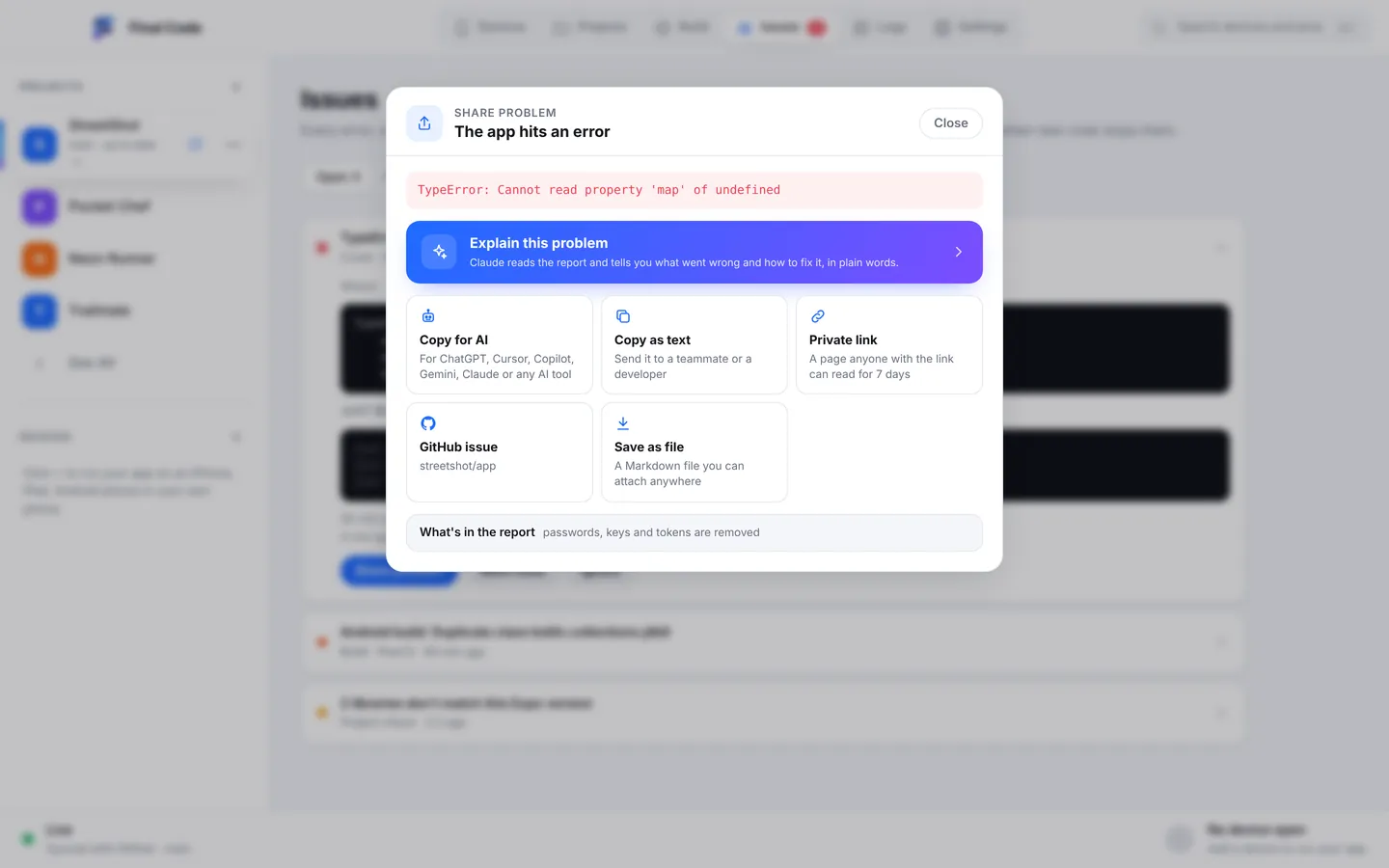
Final Code goes deeper into the development side. Project check runs when a project opens and when new code arrives, catching libraries that do not match the Expo version, React Native APIs removed in your version, missing babel plugins and missing files. The Issues box gathers each error, crash and failed build once, with counts, device, stack and the log lines just before, and closes it when it stops happening. In version 0.5.0, "Share problem" builds one tidy report, removes passwords, keys and tokens, and "Explain this problem" has Claude explain it in plain words with steps.
Working with AI coding tools
Credit to Appetize: its site says AI coding tools can connect to it, and agents can target UI elements by name. Final Code also takes AI seriously, from a local angle. Your assistant reads the .finalcode folder in the project for live status, logs, issues, screenshots and the build log, and asks Final Code to build, run, reload, tap, swipe, type and read the phone log, on simulators and on real phones. When it pushes to GitHub, Final Code pulls the commit and rebuilds. More on our AI app builders page.
Price
At the time of writing, Appetize lists a free plan with 30 minutes a month, 3-minute sessions and 2 active devices; a Starter plan at $59 a month with 500 minutes; and a Premium plan at $319 a month with 500 minutes and more devices at once, with extra minutes at $0.06 each and Enterprise pricing on request. Check Appetize's pricing page for current figures.
Final Code is $29 a month or $249 a year after a free 14-day trial with no card, used as much as you like on up to 3 Macs. See pricing. Because the two tools do different jobs, many teams can justify both.
Privacy
Using Appetize means uploading your app to its cloud, which is the whole idea, and it publishes compliance badges for that. Final Code keeps your code on your Mac. It has no analytics, and the membership check sends only your email, plan and a one-way code for the Mac.
Who should use which
- Marketing and sales teams: Appetize, to put a live app on a web page or in a demo.
- Support and training teams: Appetize, to walk customers and staff through the app in a browser.
- Developers, indie or in a studio: Final Code for daily building and testing on real devices.
- People building with AI tools on a Mac: Final Code, so the assistant can test on real phones. See also web apps if you build for the browser.
Using Appetize and Final Code together
Build and test in Final Code until a version is solid on your own iPhones, Android phones, simulators and emulators. Then upload that build to Appetize and drop the embed into your landing page or send the link to a client. When the client spots something, reproduce it in Final Code with the matching build from build history, fix it, and upload the next version. For testing on cloud real devices instead of simulators, read Final Code vs BrowserStack. For the first steps of an Expo project, see Final Code vs Expo Go.
What is a good alternative to Appetize.io for testing on real iPhones?
Appetize streams cloud simulators and emulators to a browser. If you want real hardware on your desk, Final Code is a Mac app that installs release builds on your own iPhone by cable and Android phones by cable or Wi-Fi, with simulators and emulators in the same window. Nothing is uploaded and there is no per-minute charge.
Can I run my iOS app in a browser?
Yes, services like Appetize.io run iOS simulators and Android emulators in the cloud and stream them to a web page, which is useful for demos, support and previews. Final Code does not do browser streaming; it runs your app on your Mac's simulators and on your connected phones while you develop.
How much does Appetize.io cost?
At the time of writing, Appetize lists a free plan with 30 minutes a month and 3-minute sessions, a Starter plan at $59 a month with 500 minutes, and a Premium plan at $319 a month, with extra minutes at $0.06 each. Prices may change, so check its pricing page.
Is Appetize good for development testing?
It can be part of it, especially for automated tests and quick reviews. For the constant change-and-check loop, uploading every build gets slow. Final Code builds from your source on your Mac, updates simulators and emulators instantly when you save, and installs release builds on real phones in seconds to minutes.
Can I embed a live app demo on my website with Final Code?
No. Final Code is a developer tool on your Mac and does not stream apps to web pages. For website demos, Appetize.io is designed exactly for that. Final Code can share an Android build with anyone on the same Wi-Fi with a link and QR code.
Do I need to upload my app to test it?
Not with Final Code. It builds and runs everything on your own Mac and connected phones, and your code never leaves the Mac. Cloud services such as Appetize.io and BrowserStack do need an upload, because the app runs on their machines.
Why does my app feel different on a phone than in a browser emulator?
Streamed simulators and emulators run on servers and send video to your browser, so touch, scrolling and performance can feel different from a phone in your hand. For those checks, test on a real device. Final Code installs release builds on your own iPhone and Android phone and shows them next to simulators.
Can AI coding assistants test my app on a device?
Yes. With Final Code, an assistant such as Claude, Cursor or ChatGPT reads the.finalcode folder for status, logs, issues and screenshots, and can ask Final Code to build, run, reload, tap, swipe, type and take screenshots on simulators and real phones. Appetize also offers a CLI and API that AI agents can use.
Build it, then show it off
Test on real phones and simulators with Final Code, free for 14 days. Share the finished build however you like.
Product names are trademarks of their owners. Comparison based on publicly available information as of October 2026.