 Final Code
Final Code vs Android Studio and the Emulator
Android Studio is Google's home for writing Android apps. Final Code is a Mac app for running Android and iPhone builds from one window and seeing what breaks.
Which one fits you?
Choose Android Studio if you write Kotlin or Java, design layouts with Compose previews, profile memory and CPU, or work on Windows or Linux. It is free, it is Google's official IDE, and its emulator covers phones, tablets, foldables, Wear OS, Android TV and Android Automotive.
Choose Final Code if your app ships on both Android and iPhone and you want both in one window on a Mac, without opening two IDEs or touching the terminal. Final Code also gives real Android phones release builds, connects them over Wi-Fi with a pairing code, and lets you share a build with anyone on your Wi-Fi by QR code.
Android developers often keep both open: Android Studio for writing and deep debugging, Final Code for the constant "does it still work everywhere?" check.
The case for Android Studio
Android Studio is a mature, professional tool and it is free. Its emulator, according to Google's documentation, provides almost all the capabilities of a real Android device. You can simulate incoming calls and text messages, set the device location, try different network speeds, rotate and use other sensors, and access the Google Play Store. Google's docs also note that moving data to the emulator can be faster than to a phone over USB, and that in most cases the emulator is the best option for testing.
Beyond the emulator, Android Studio gives you Logcat, the Layout Inspector, a debugger and profilers. For native Android work there is no substitute, and we would not suggest one.
The trade-off is weight. Google recommends at least 16 GB of RAM and 16 GB of disk for the best emulator experience, and higher API levels or larger screens may need more. And it is one platform: if your app is also on iPhone, you need Xcode alongside it.
Feature comparison: Final Code vs Android Studio
| Final Code | Android Studio + Emulator | |
|---|---|---|
| Main role | Build, run and test on every device | Write, build and debug Android apps |
| Runs on | Mac (macOS 13 or later) | Windows, macOS, Linux, ChromeOS |
| iPhone and iOS Simulator in the same place | Yes, in one window | No |
| Code editor, Compose previews, profilers | No, bring your own editor | Yes |
| Emulator controls | Mirrored in one window: touch, type, rotate, home and back | Extended controls: calls, SMS, sensors, location, foldables |
| Wear OS, TV, Automotive | Phones, tablets and web shapes | Yes |
| Real phones | Release builds by cable or Wi-Fi pairing code | Cable or wireless debugging |
| Share a build in the room | Link and QR code on your Wi-Fi | Copy the APK yourself |
| Project types | Kotlin, Java, React Native, Expo, Flutter, Unity, Capacitor, web | Android Gradle projects, Flutter with plugin |
| Monorepos with several apps | Detected, switch in one click | Open each project |
| Errors grouped per project | Issues box with counts, device and stack | Logcat and build output |
| Setup of SDKs and emulators | SDK found automatically; Tools installs the rest | SDK Manager and Device Manager |
| Price | $29/month or $249/year, 14-day free trial | Free |
Getting started
Android Studio's setup wizard downloads the SDK and a system image, and the Device Manager creates virtual devices. It is well documented, but for a newcomer there are a lot of choices: API levels, system images, Gradle versions, Java versions.
Final Code finds the Android SDK on your Mac automatically. If something is missing, such as the SDK, an emulator, Java or Node, the Tools screen installs it in one click. Open a Kotlin or Java Gradle project, or a React Native, Flutter or Capacitor app, and Final Code works out how to build it. Plug in an Android phone with USB debugging on, or pair it over Wi-Fi with a code. The same window then holds your iPhone too.
Speed day to day
Android Studio has quick incremental Gradle builds and features like Apply Changes for native code. If you live in Kotlin all day, that loop is tight.
Final Code's speed comes from not rebuilding what has not changed. It reuses the last native build unless native code or libraries changed, and keeps a shared download cache and a compiler cache for every project. For cross-platform projects, saved changes appear on every open emulator and simulator at once with live reload. You see an Android phone and an iPhone react to the same edit in the same second, which is the whole point when you ship both.
Emulators vs real Android phones
Google's emulator is very good, and we mirror it inside Final Code rather than replace it. Still, a phone in your hand catches things an emulator on a fast Mac can hide: real touch, real performance on mid-range hardware, real network conditions, the manufacturer's own Android skin.
Real Android phones in Final Code get real release builds with your code inside, so you are testing the app users will install. The inspector lets you switch orientation, light or dark appearance, larger text, network (Wi-Fi, 5G or offline), GPS location presets and battery level per device. And when someone across the room wants to try your build, share it with a link and QR code over the same Wi-Fi. No store listing, no upload.
Debug builds, release builds and history
Pressing Run in Android Studio usually installs a debug build. That is ideal for the debugger, but release builds can behave differently, especially with code shrinking or JavaScript bundles. Final Code installs release builds on real phones and keeps every one in build history with its commit, date and size. Put any earlier build back on any device in one click to find when a bug crept in. Need a fresh start? Clean build and rebuild from scratch is one button.
Logs, crashes and finding the problem
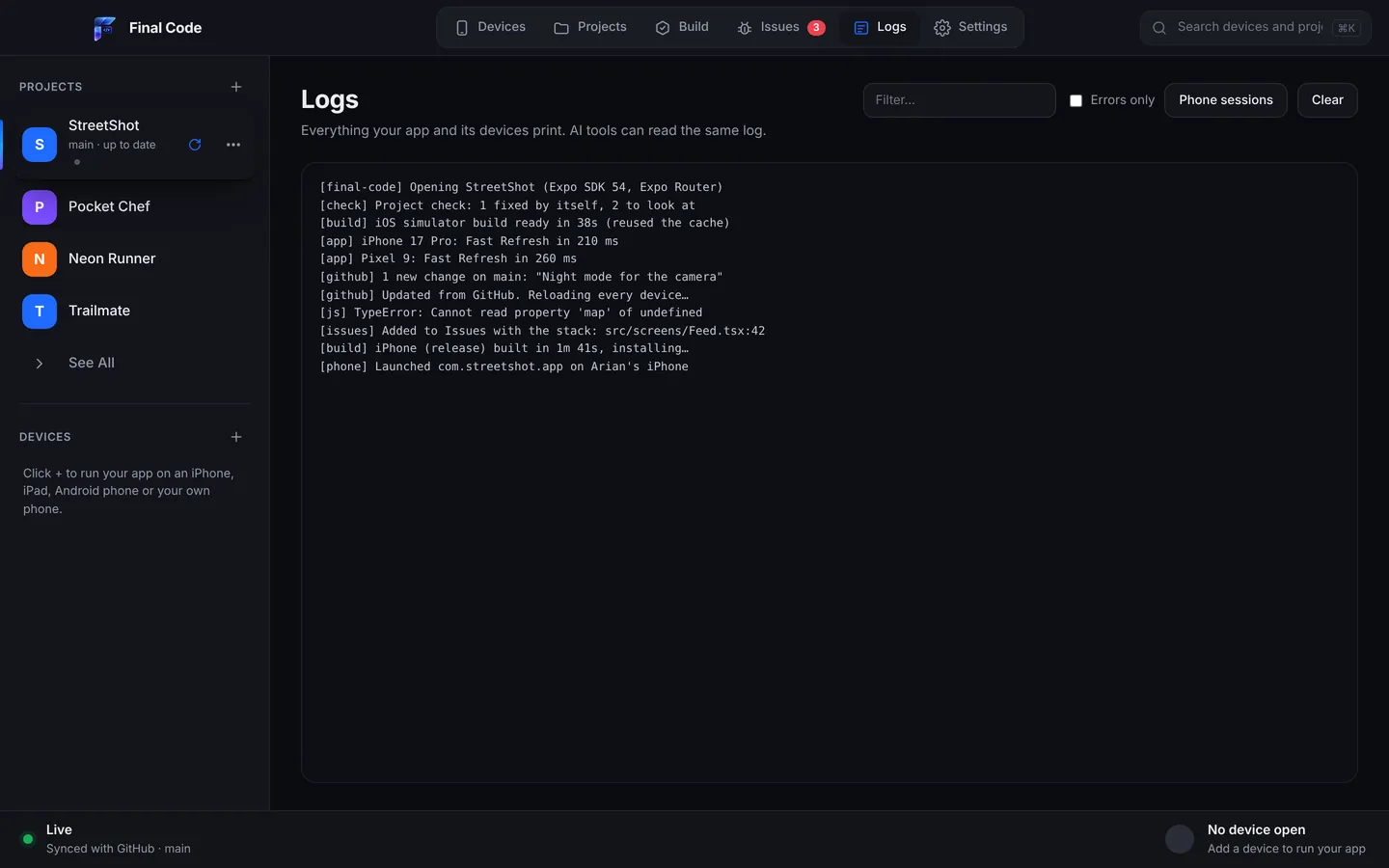
Logcat is powerful and very busy. Filtering it well is a skill. Final Code takes a different approach: every error, crash, failed build and setup problem becomes a single issue per project, with how often it happened, which device, the stack and the log lines just before. Issues close by themselves when new code runs for 3 minutes without them, and reopen if they come back.
On real phones, each launch gets its own session log with the JavaScript console, the phone's native output and the build and install steps. If Firebase is not set up for the app, or a sign-in method is switched off in Supabase, Final Code tells you in plain words with a link to the right dashboard. When you need breakpoints or a CPU trace, open Android Studio. Both views help.
AI coding tools
If Claude, ChatGPT, Gemini, Cursor, Windsurf or Copilot writes part of your app, Final Code lets the assistant test its own work. It writes a .finalcode folder with live status, logs, issues and screenshots, and accepts requests to build, run, reload, tap, swipe, type and screenshot on real devices and emulators. It also picks up whatever the AI pushes to GitHub, checking every minute, and rebuilds. Details on our AI page.
Cost
Android Studio is free. Final Code is $29 a month or $249 a year after a 14-day trial with no card needed, on up to 3 Macs. Compare plans on the pricing page. If you only build Android apps and work happily in Android Studio, you may not need Final Code. It earns its place when you test on several platforms or want less setup.
Privacy
Both tools build on your own machine. Final Code keeps your code on your Mac, includes no analytics, and only sends your email, plan and a one-way Mac code for the membership check.
Who should use which
- Native Android developers on Windows or Linux: Android Studio. Final Code is Mac only.
- Native Android developers on a Mac who also ship iOS: both. See our Kotlin page and Swift page.
- Cross-platform teams (React Native, Expo, Flutter): Final Code for daily testing on both platforms; Android Studio for native deep dives. See Expo.
- Game developers using Unity: Final Code builds the Android export for you and installs it on your phone.
- Anyone who would rather not learn two IDEs: Final Code.
Using both together
Keep Android Studio installed if you like it. Final Code finds the Android SDK on your Mac automatically, so the two sit happily. Write Kotlin in Android Studio if you like, and keep Final Code open beside it with a Pixel emulator, a real Android phone, an iPhone and an iPad. When something only fails on one of them, start with the Issues box and session log in Final Code; switch to Android Studio's debugger if you need to step through. For devices you do not own, add a cloud service, as we explain in Final Code vs BrowserStack. For iPhone, see Final Code vs Xcode.
Can I run the Android Emulator and iOS Simulator on a Mac?
Yes. Final Code mirrors Android Emulators and iOS Simulators live in one window, next to real Android phones and iPhones. Saved code changes appear on all open emulators and simulators at once. You can touch, type, rotate and press home or back on each device without switching programs.
Is there a lighter alternative to Android Studio for testing apps on a Mac?
If you mainly need to run and test, not write native code, Final Code is an option. It finds the Android SDK on your Mac, installs missing tools in one click, detects your project and runs it on emulators and real phones. If the Android SDK or an emulator is missing, Final Code can install it for you. Android Studio remains the best tool for writing Kotlin.
Is the Android Emulator good enough or do I need a real phone?
Google says the emulator is the best option in most cases, and it simulates calls, messages, location, network speeds and sensors. A real phone still shows true touch, performance and manufacturer differences. Final Code makes real phones easy: connect by cable or Wi-Fi pairing code and it installs a release build.
How do I share an Android test build with someone in the same room?
In Final Code, share an Android build with anyone on the same Wi-Fi with a link and QR code. They scan it and install. There is no store listing and no upload. For testers elsewhere, use Google Play's testing tracks or Firebase App Distribution.
Can I connect an Android phone over Wi-Fi instead of a cable?
Yes. Final Code supports Android phones by cable with USB debugging or over Wi-Fi with a pairing code. Once paired, the phone appears in the device list like any other, gets release builds and sends its log back to Final Code.
Does Final Code replace Logcat?
Not entirely. Final Code shows logs and groups every error and crash into one issue per project with counts, device, stack and the lines just before. That is quicker for spotting what broke. For detailed filtering, the debugger and profilers, Android Studio's Logcat and tools are still very useful.
Does Final Code work on Windows like Android Studio?
No. Final Code runs only on Macs with macOS 13 Ventura or later, Apple silicon or Intel. Android Studio runs on Windows, macOS, Linux and ChromeOS, so on Windows or Linux, Android Studio is the right choice.
Can Final Code run Flutter and React Native apps on Android?
Yes. Final Code detects Flutter, React Native, Expo, Capacitor and Ionic projects as well as native Kotlin and Java Gradle projects, and runs them on Android Emulators and real Android phones, alongside iPhones and iOS Simulators.
Android and iPhone, one window
Download Final Code and run your app on both platforms. The first 14 days are free.
Product names are trademarks of their owners. Comparison based on publicly available information as of October 2026.