 Final Code
Final Code vs BrowserStack App Live
Two ways to test on real devices: phones in someone else's data centre, or phones on your own desk. Here is how to decide.
Short verdict
Choose BrowserStack App Live if you need to try your app on phones you do not own: a particular Samsung model a customer complained about, an older iPad, a long list of OS versions. BrowserStack lists more than 30,000 real iOS and Android device units across 19 data centres at the time of writing, all reachable from a browser, on any computer.
Choose Final Code if most of your testing happens on a few devices you already have, many times a day, and you want each code change to reach them in seconds to minutes. Final Code runs on your Mac, builds your project itself, and shows real phones, simulators and emulators. Your code never leaves the Mac.
The two fit together well: Final Code for the daily loop, BrowserStack before a release to cover the long tail of devices.
Cloud devices vs your own devices
This is the real question behind the comparison, so let us start there.
Cloud devices live in racks in a data centre. You upload a build, pick a device, and its screen streams to your browser while your clicks stream back. The big wins are range and convenience: thousands of models without buying any, no cables, and it works from Windows, Linux or a Chromebook. The costs are a per-user subscription, a little streaming delay, and the need to upload a new build each time your code changes.
Your own devices sit next to you. Touch is instant, performance is exactly what you feel in your hand, and there is no time limit or minute counter. You only have the models you own, though, and someone has to keep them charged and connected.
Neither is better in every situation. Final Code makes the second option as smooth as possible, including simulators and emulators for the screen sizes you do not have in a drawer.
What BrowserStack App Live does well
From BrowserStack's own App Live pages at the time of writing:
- More than 30,000 real iOS and Android device units, in 19 data centres.
- Install from a direct upload, a URL, beta distribution, build tool integrations, or the App Store and Play Store.
- Local testing for apps on staging servers or behind firewalls and VPNs.
- Network profiles such as 2G and 3G, and geolocation for more than 100 countries.
- App and device logs, network logs, Charles Proxy support, an ADB shell, session recording and a Firebase Crashlytics integration.
- One-click bug reports into Jira, Azure DevOps, Slack or GitHub.
For QA teams that need breadth, this is a serious, well-built service.
Comparison at a glance
| Final Code | BrowserStack App Live | |
|---|---|---|
| Where devices are | On your desk and on your Mac | In BrowserStack's data centres |
| Device range | Phones you own, plus any simulator and emulator | 30,000+ real device units |
| Builds your project for you | Yes, detects the project type | You upload a finished app |
| Code change to device | Instant on simulators and emulators; seconds to minutes on phones | Build, upload, install |
| Simulators and emulators | Mirrored in one window | Real devices only in App Live |
| Several devices | Switch in one click | 4 at once on the Team Pro plan |
| Touch delay | None on real phones | Streamed over the internet |
| Network and location | Wi-Fi, 5G, offline; 5 GPS presets | Network profiles; 100+ countries |
| Logs and crashes | Issues box, session logs, readable crash reports | Device, app and network logs; Crashlytics |
| Bug tracker integrations | Share problem: AI tools, private link, GitHub issue | Jira, Azure DevOps, Slack, GitHub |
| Your computer | Mac only | Any computer with a browser |
| Where your app goes | Stays on your Mac | Uploaded to BrowserStack |
| Price at the time of writing | $29/month or $249/year, unlimited use | From $19/month (100 minutes); Individual $39/month billed yearly |
Setup
BrowserStack needs an account and a build to upload. There is nothing to install for basic use, which is a genuine plus. For apps that talk to a local or staging server you add their Local app.
Final Code is a Mac download of about 245 MB. When you open a project, Final Code checks what your Mac already has and installs the rest one click at a time: the Android SDK, Java, CocoaPods, any missing Xcode components. Open a project from your disk or straight from GitHub and Final Code works out what kind of app it is, whether that is React Native, Flutter, Swift, Kotlin, Unity or a web app.
Speed
With any cloud device service, each code change means a fresh build on your side, an upload, and an install on the remote device. That is fine for a release candidate and slow for "let me try one more padding value".
Final Code removes the upload. Saved code shows up instantly on every open simulator and emulator. Real phones get a release build from your Mac in seconds to minutes, and native code is only rebuilt when it changed. Caches for downloads and compiling keep later builds quick.
Real hardware in both cases
Both tools give you real phones, which is worth stressing. BrowserStack App Live does not use emulators, and Final Code installs on physical iPhones by cable and Android phones by cable or Wi-Fi. The difference is ownership and feel. In your hand you notice a slow scroll or a tiny tap target in a way you might miss through a browser stream.
Final Code's per-device inspector covers the common conditions: portrait, landscape and flipped, light and dark, larger text, Wi-Fi, 5G or offline, GPS presets for Dubai, London, New York, San Francisco and Tokyo, and battery level. BrowserStack goes further with network profiles and over 100 locations, which matters for apps with regional behaviour.
Development builds and release builds
Cloud farms test whatever binary you hand them, usually a near-final build. Final Code covers the whole road there: live-reloading development on simulators and emulators, and release builds on real phones with the code inside. Build history keeps every phone build with commit, date and size, ready to reinstall in one click.
Debugging and crash reports
BrowserStack offers a good set of logs and integrations, and connecting Crashlytics brings crash data into the session.
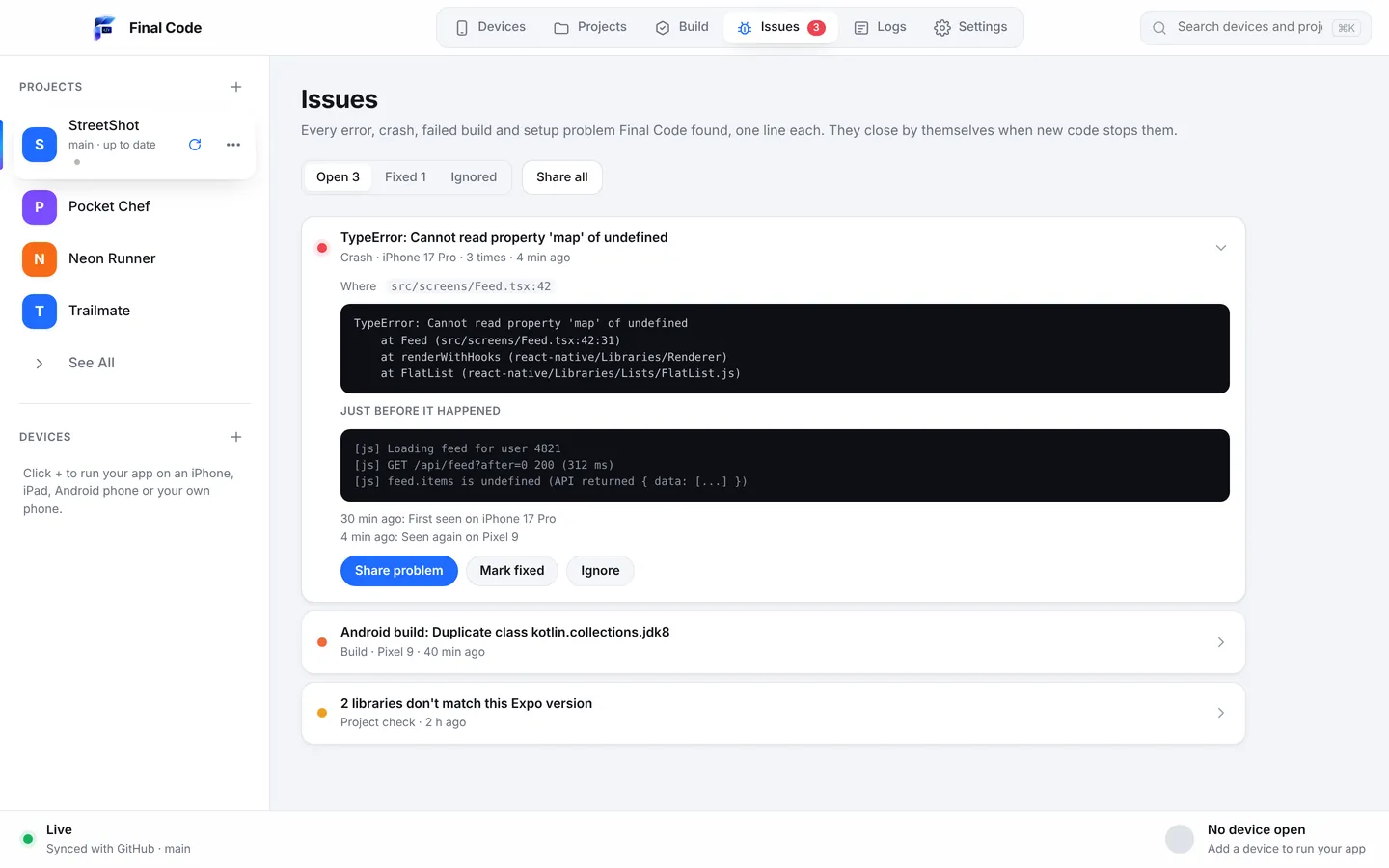
Final Code focuses on making problems obvious without a dashboard hunt. The Issues box turns every error, crash, failed build and setup problem into one deduplicated issue per project, with counts, device, stack and the log lines just before. Issues close themselves when they stop happening for 3 minutes of new code, and reopen if they return. Project check catches mismatched libraries, removed APIs and missing files before they reach a phone. With "Share problem", you get one report with the file and line, what changed, and the device, with secrets removed, ready for an AI tool, a private 7-day link or a GitHub issue.
AI coding tools
Final Code is built so AI assistants can use it too. The .finalcode folder exposes status, logs, issues and screenshots, and an assistant can ask Final Code to build, run, tap, swipe, type and take screenshots on real devices. That makes it a natural testing partner for Claude, ChatGPT, Cursor and others. See AI app builders.
Price
At the time of writing, BrowserStack's App Live plans include a Freelancer plan at $19 a month (or $12.50 a month billed yearly) with 100 minutes, an Individual plan at $39 a month billed yearly, Team at $150 a month billed yearly and Team Pro at $249 a month billed yearly, plus Enterprise pricing on request. Check their pricing page for current details.
Final Code is $29 a month or $249 a year after a free 14-day trial, with no minute limits since it runs on your hardware. One membership covers up to 3 Macs. See pricing. The real cost question is different for each team: buying a few test phones once, or renting a large range by subscription.
Privacy
To test on BrowserStack, your app binary is uploaded to their cloud and runs on shared hardware; they publish their own security and compliance information. With Final Code, your code is built on your Mac and never leaves it, and the app has no analytics. For teams under strict client agreements, keeping daily builds local can make life simpler.
Who should use which
- QA teams covering many devices and OS versions: BrowserStack.
- Developers on Windows or Linux who need iPhones: BrowserStack, since Final Code is Mac only.
- Mac developers testing every change: Final Code.
- Indie developers and small studios: Final Code daily, with an occasional BrowserStack session before a launch.
How to use them together
Do the hundred small checks of a normal week in Final Code on the phones and simulators you have. When a release candidate is ready, upload it to BrowserStack and walk through the key flows on the devices you are missing. If BrowserStack turns up a crash on one model, look at that build's commit in Final Code's build history and reproduce what you can locally. For sharing builds with human testers, see Final Code vs TestFlight and Final Code vs Firebase App Distribution. For browser-streamed simulators, read Final Code vs Appetize.io.
Is there an alternative to BrowserStack for testing on my own iPhone?
Yes. Final Code is a Mac app that installs release builds on your own iPhone by cable, and on Android phones by cable or Wi-Fi, in seconds to minutes. It also mirrors iOS Simulators and Android Emulators in the same window. There are no minutes to count, and your code never leaves your Mac.
Should I test on cloud devices or my own devices?
Both have a place. Your own devices are best for frequent testing because changes arrive fast and touch feels real. Cloud devices are best for range, such as models and OS versions you do not own. Many teams test daily on their own phones with Final Code and use a cloud service before major releases.
How much does BrowserStack App Live cost?
At the time of writing, BrowserStack lists a Freelancer plan at $19 a month, or $12.50 a month billed yearly, with 100 minutes, and an Individual plan at $39 a month billed yearly. Team plans start at $150 a month billed yearly. Prices change, so check BrowserStack's pricing page.
Does BrowserStack App Live use real devices or emulators?
BrowserStack says App Live runs on real iOS and Android devices, with more than 30,000 device units across 19 data centres at the time of writing. Final Code also uses real devices, your own, plus simulators and emulators on your Mac for quick checks of screen sizes you do not own.
Can I test an app that is not finished yet without uploading it anywhere?
Yes. Final Code builds your project on your Mac and runs it on connected phones, simulators and emulators, with live reload on simulators and emulators. Nothing is uploaded, and the app keeps no analytics. Your project can even live only on your Mac, without git.
Can I test my app on many devices without a device farm?
Final Code runs several devices from one window, one click apart: real iPhones and Android phones plus as many iOS Simulators and Android Emulators as your Mac can run. Every open simulator and emulator updates when you save. For hundreds of models, a cloud farm is still the right tool.
Does Final Code work on Windows like BrowserStack?
No. BrowserStack runs in a browser on any computer. Final Code is a Mac app for macOS 13 Ventura or later, on Apple silicon and Intel. If you are on Windows or Linux and need iPhones, a cloud service is a practical choice.
Which is better for catching crashes before release?
They complement each other. Final Code catches crashes as you develop: the Issues box shows each one with stack, device and the log lines just before, and project check spots release-only problems early. BrowserStack helps you find crashes on device models you do not have. Use both for the best coverage.
Test on the phones you already have
Download Final Code and see your app on your own devices,, in minutes. Free for 14 days.
Product names are trademarks of their owners. Comparison based on publicly available information as of October 2026.