 Final Code
Flutter run on multiple devices in one window
See your Flutter app on the iOS Simulator, the Android Emulator and your own iPhone at the same moment, without a single terminal command.
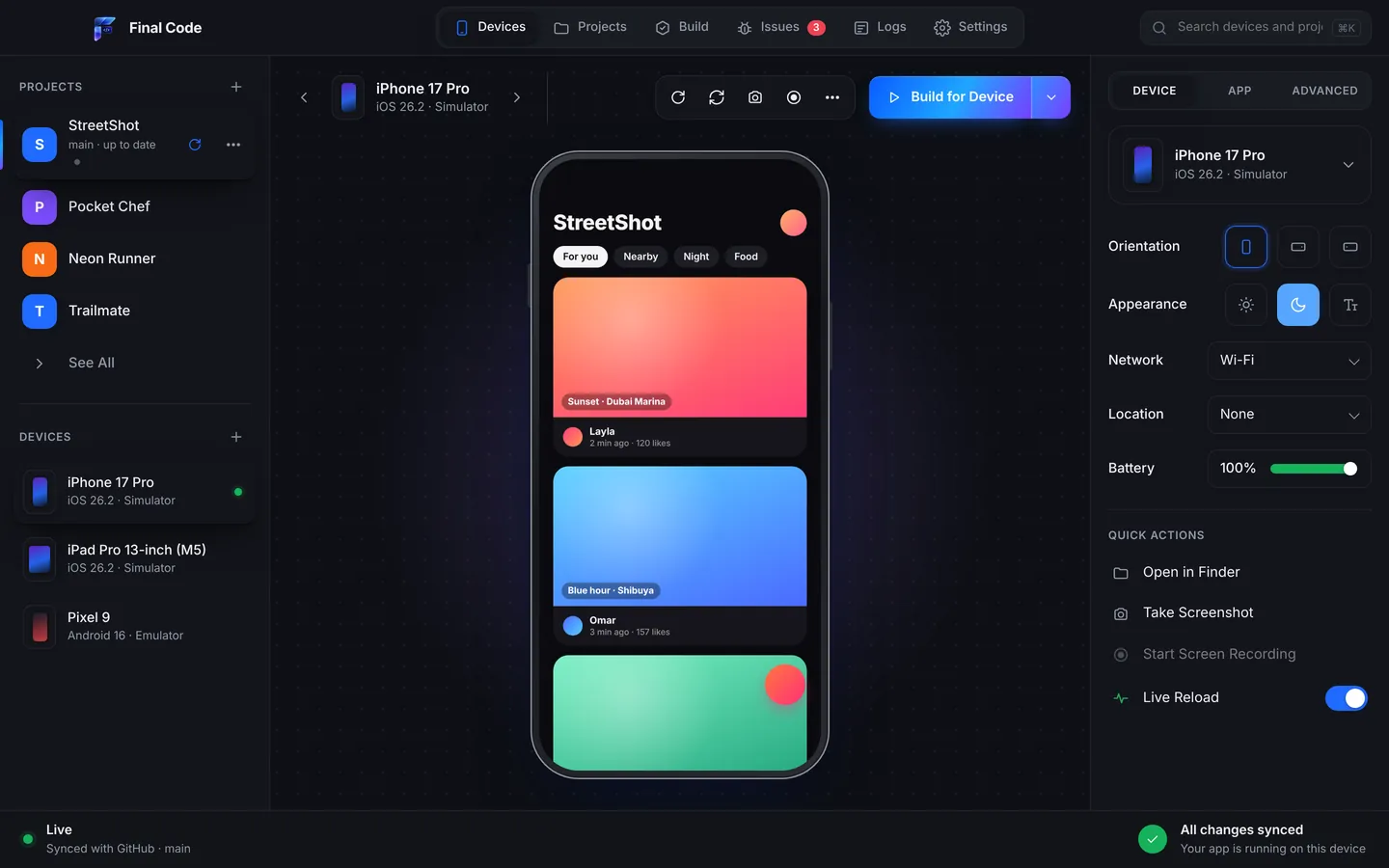
Flutter promises one codebase for iPhone and Android. Checking that promise is another story. To get a Flutter run on multiple devices, you usually start each simulator by hand, keep several terminal tabs open, and then squint at windows scattered across your screen to compare a single button. Final Code puts it all in one place.
Open your Flutter project and Final Code recognises it straight away. Pick the iOS Simulator, an Android Emulator and any phone on the cable, press Run, and the app appears on each of them, mirrored live in the same window. You can click, swipe, type and rotate every device without leaving it.
Flutter iOS Simulator and Android Emulator in one window
Flutter's renderer draws every pixel itself, so the two platforms look very similar. "Very similar" is not the same as identical, though. Fonts fall back differently. The status bar and the gesture area at the bottom of the screen are not the same height. The back gesture works differently on Android. Text that fits on a Pixel wraps on an iPhone SE shape. You only catch these things when you check both platforms one right after the other.
The iOS Simulator and the Android Emulator live in one window, one click apart. Save a Dart file and every open simulator and emulator updates at once, so the result is waiting on both platforms when you switch. If you want to focus, show one device at a time, or pop a device out into its own window on a second screen.
How it works
Open your Flutter project
Choose the folder, or open it from GitHub on any branch. Final Code finds the app, its iOS and Android folders, and any other apps if it lives in a monorepo.
Get the Mac ready in a few clicks
Settings, then Tools lists what is installed and what is missing: Xcode components, simulators, the Android SDK and emulators, Java, CocoaPods. One click each.
Pick your devices and press Run
Simulators and emulators open inside the window. Phones on the cable or Android phones paired over Wi-Fi show up on their own.
Watch the logs and issues
Flutter's console output, native logs and crashes stream back from every device, and anything that goes wrong becomes a clear issue you can follow.
All your devices, one view
iPhone, iPad and Android, simulators, emulators and real hardware, one click apart. Compare layouts at a glance instead of tabbing between windows.
Real release builds on phones
Debug mode in Flutter is slower and more forgiving than release. On real phones, Final Code installs a real release build, so performance and behaviour match what your users get.
Instant updates everywhere
Saved changes appear on every open simulator and emulator together. Native rebuilds only happen when native code or plugins change.
A smart inspector
Switch each device to landscape or flipped, light or dark, larger text, offline or 5G, a GPS preset like Tokyo or San Francisco, and any battery level.
Crashes you can read
When the app closes on an iPhone, the crash report is pulled from the phone with readable function names, and attached to an issue with the device and log lines before it.
Screenshots for every size
Take a screenshot of one device or all of them, or record the screen. Handy for store listings, bug reports and design reviews.
Test a Flutter app on iPhone, the real one
Simulators are fine for layout. They are not fine for camera access, push permission prompts, the feel of scrolling at 120 frames per second, or how hot the phone gets during a long session. For that you need to test the Flutter app on an iPhone in your hand.
Connect your iPhone by cable, unlock it and tap Trust. Final Code signs the app automatically using your App Store Connect API key or the account already in Xcode. It builds a release version with your code inside and installs it, in seconds to minutes. There is no upload, no processing wait, and no need to open Xcode at all for the everyday loop.
Android phones connect by cable with USB debugging, or over Wi-Fi with a pairing code. Once a build is on one phone, it is in your build history with its commit and size, ready to install on another device in one click.
The Flutter problems you will actually meet
Every Flutter developer hits a familiar set of walls. Here is how Final Code helps with each one.
CocoaPods, Java and SDK versions
A lot of failed Flutter builds have nothing to do with your Dart code. CocoaPods is missing or outdated, the Java version does not suit the Android build, or an SDK component was never installed. Final Code's Project check looks for missing tools when the project opens, and the Tools screen installs or fixes them in one click.
A plugin that works on Android but not on iOS
Add a plugin with native code and forget to rebuild, and you get an error that the plugin's method has no implementation. Final Code rebuilds the native side when libraries change, so the plugin code actually ends up in the app.
Overflow warnings and layout errors
The famous yellow and black stripes show up on one screen size but not another. With several devices running, you see the overflow as soon as you switch to the small one, and the error message is in the log with the device it happened on.
Bugs that only exist in release mode
Assertions are turned off in release, code is compiled ahead of time, and timing changes. A race condition that never shows in debug can freeze a release build. Because real phones get release builds, you find these before your users do, and the crash or error lands in the Issues box.
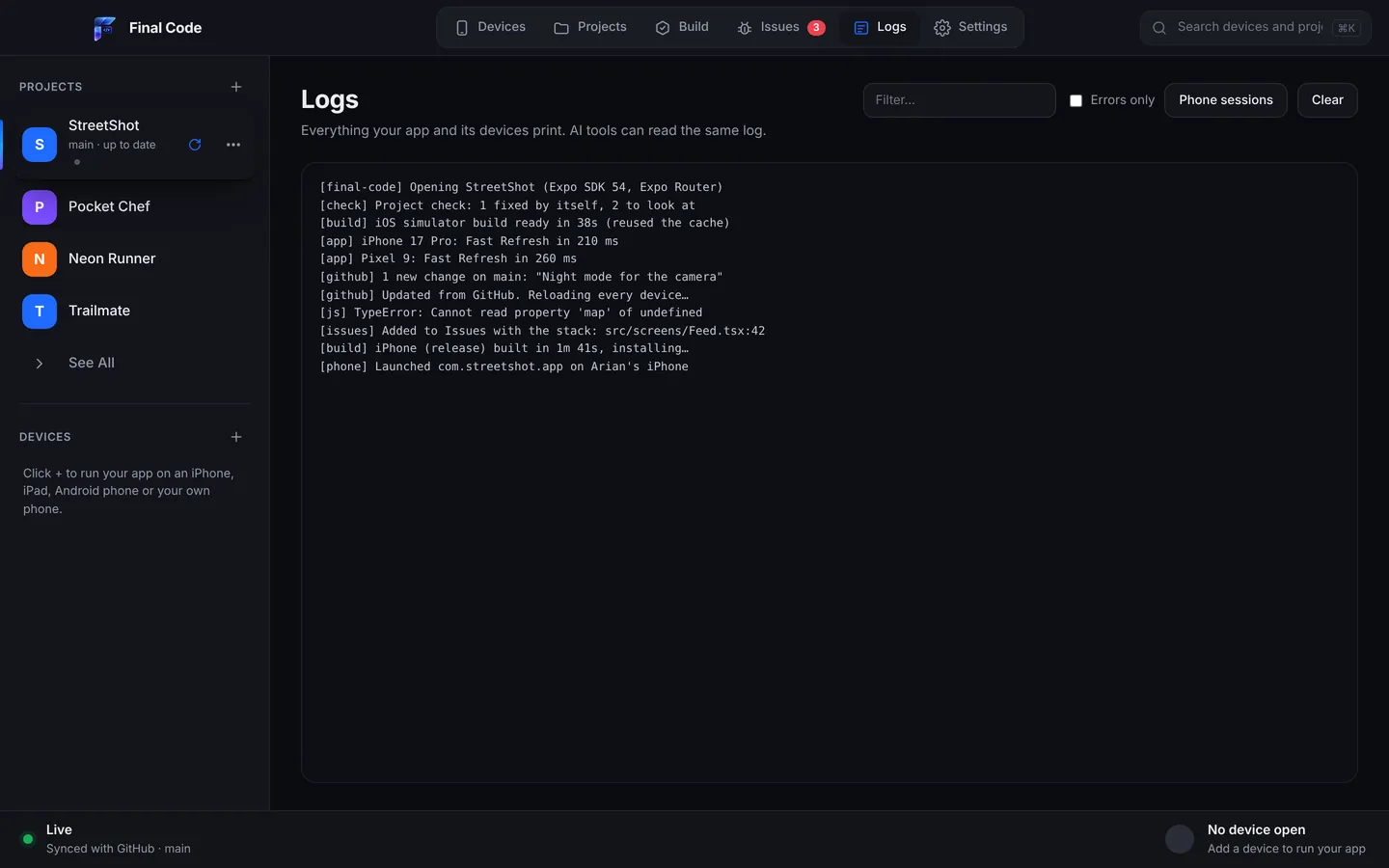
Each launch on a real phone gets its own session log: the app's console output, the phone's native output, every build and install step, and crash reports with readable names. When you need a second opinion, the Share problem report bundles what happened, the file and line, what changed since the app last worked, and the device and Mac, with passwords, keys and tokens removed.
For Flutter beginners
If you just installed Flutter and ran your first counter app, the tooling can feel like a lot. Doctor output, Android licences, Xcode command line tools, a phone that does not appear. Final Code is made for this moment. When something is missing, Final Code opens Settings → Tools and installs it in one click each: Xcode components, simulators, the Android SDK, Java, CocoaPods and Node.
No terminal is needed for any of it. When something breaks, the Issues box explains it in plain words, and "Explain this problem" asks Claude to walk you through the cause and the fix. For a gentle start, see our guide to testing on iPhone and Android.
For Flutter teams and studios
Studios that build Flutter apps for clients often run several projects at once, each on its own branch. Open any GitHub repository and any branch in one click; Final Code picks the newest branch with app code by default. It checks GitHub every minute, pulls new commits and reloads every open device, so the test phones on your desk always run the latest work. Local edits are protected and never lost.
Share an Android build with anyone on the same Wi-Fi using a link and a QR code: great for a quick client demo. Use the build history to compare yesterday's release with today's. A membership covers up to three Macs, and every project type is included, so the same seat also handles your React Native or native iOS work. Details are on the pricing page.
Flutter apps written with AI
AI coding assistants write a lot of Dart these days. Claude, ChatGPT, Cursor, GitHub Copilot, Gemini and Windsurf can produce a full screen of widgets in seconds. What they cannot do on their own is look at the result on a phone. Final Code gives them eyes.
It keeps a .finalcode folder in your project, never committed, with live status, logs, issues, screenshots and the build log. An AI assistant can read that folder and ask Final Code to build, run, reload, tap, swipe, type and take screenshots, then read the phone log to see if the change worked. If the assistant pushes to GitHub, Final Code notices the new commit and rebuilds. More on this on our page for AI app builders.
Final Code next to the Flutter command line, Xcode and Android Studio
The Flutter tool is excellent, free and official. It can already target several devices at once, and its hot reload is one of the best in the business. Android Studio and VS Code have strong Flutter plugins for editing and debugging. Final Code does not replace your editor. It adds the parts the command line leaves to you: devices mirrored in one window, release builds on real phones in one click, a device inspector, grouped issues, session logs, build history and GitHub sync. Compare in detail with Android Studio, the Xcode Simulator or TestFlight, or see every comparison.
Product names are trademarks of their owners. Comparison based on publicly available information as of October 2026.
Final Code is a fast, modern, native Mac app for macOS 13 or later, on Apple silicon and Intel. Your code stays on your Mac. See all features, or read about testing web apps in phone shapes if you also ship Flutter for web.
How do I run a Flutter app on multiple devices at once?
Open the project in Final Code, choose the iOS Simulator, an Android Emulator and any connected phones, and press Run. The app builds and opens on all of them, mirrored in one window. Saved changes show on every open simulator and emulator together.
Can I use the iOS Simulator and Android Emulator for Flutter?
Yes. On a Mac, both can run together. Final Code opens them in one click each in the same window and switches between them in one click, so you compare the two platforms without switching apps.
How do I test a Flutter app on my iPhone?
Install Xcode, connect your iPhone by cable, unlock it and tap Trust. In Final Code, choose the iPhone and press Run. It signs the app automatically with your Apple account or App Store Connect API key, makes a release build and installs it.
Why does my Flutter app behave differently in release mode?
Release mode compiles your Dart code ahead of time and turns off assertions, so timing and error handling change. Bugs hidden in debug can appear. Final Code puts real release builds on real phones and collects any crash or error into the Issues box with the device and log lines before it.
Does Final Code fix CocoaPods and Java problems?
Final Code's Project check looks for missing tools when a project opens, and Settings then Tools installs or fixes what the Mac needs, including CocoaPods, Java, Xcode components, the Android SDK and emulators, in one click each.
Do I need Android Studio for Flutter on a Mac?
Not to run your app. Final Code installs the Android SDK and emulators for you and shows the emulator inside its own window. Many developers still like Android Studio or VS Code as their editor, and that works fine alongside Final Code.
Can I share a Flutter Android build with a tester?
Yes. Anyone on the same Wi-Fi can install your Android build from a link or by scanning a QR code. Every build that went to a phone is also kept in the build history with its commit, date and size.
Is there a free trial?
Yes. Start a 14-day free trial right in the app, with no card needed. After that, Final Code costs $29 per month or $249 per year and works on up to three Macs. Cancel any time.
One Flutter codebase. Every phone, one window.
Download Final Code and watch your Flutter app run on iPhone and Android.