 Final Code
Mobile app testing guides and quick fixes
Short, practical answers for the moments that slow you down when you put an app on a phone.
Testing an app on real phones should be the fun part: you finally hold the thing you built. In practice, it is often where hours disappear into settings menus, warning dialogs and cables that only charge. These mobile app testing guides collect the fixes we see people need most, written in plain words, each one short enough to follow with your phone in your other hand.
Start with the long guide if you want the full picture. Use the quick tips below when you just need one thing to work right now.
How to test your app on iPhone and Android
Every method compared: simulator, emulator, cable, Wi-Fi, TestFlight, Play testing, Expo Go and cloud devices, with honest pros and cons and numbered steps.
Everything Final Code does
A tour of every feature, from live mirrored simulators to the Issues box, build history and the AI bridge.
Testing apps built with AI
How to get an app written by Claude, ChatGPT, Cursor or Copilot running on a real phone, and how to hand errors back to the AI.
React Native
Running bare React Native apps on simulators, emulators and real phones.
Expo
Managed, bare and development-client Expo projects, Expo Router included, beyond what Expo Go can load.
Flutter
Flutter apps on iPhone and Android from one Mac window.
Unity
Unity games exported and built for iOS and Android for you, then installed on real phones.
Compare tools
How Final Code fits next to the tools you may already use, with their real strengths.
Help centre
Answers about devices, GitHub, builds, logs, billing and privacy, plus live chat.
iPhone tips
Fix "Untrusted Developer" on iPhone
This message appears when an app signed with your own Apple account is opened for the first time on a phone. The phone is protecting you from apps that did not come from the App Store, which is good, but you need to tell it this one is yours.
- Open Settings on the iPhone.
- Go to General, then VPN & Device Management.
- Under Developer App, tap the entry with your name or team.
- Tap Trust, then confirm.
Tip: if you do not see VPN & Device Management, the app has not been installed yet, or it was signed in a way that does not need trusting. Install first, then look again.
Trusting your Mac when you plug in an iPhone
The "Trust This Computer?" prompt only appears while the iPhone is unlocked. If you plugged in a locked phone and nothing happened, unlock it and unplug and replug the cable. If you once tapped Don't Trust by mistake, the quickest reset is Settings, General, Transfer or Reset iPhone, Reset, Reset Location & Privacy. That clears trust for every computer, so the prompt comes back next time. It does not erase your data.
Turn on Developer Mode
Recent versions of iOS hide developer apps until you switch on Developer Mode. You will find it in Settings, Privacy & Security, near the bottom. If the switch is not there, connect the phone to a Mac with developer tools once; the option appears after that. Turning it on restarts the phone and asks you to confirm after the restart.
Why does my test app stop opening after a few days?
Apps signed with a free Apple account have a short lifespan on the phone. When it ends, the app icon stays but the app will not launch. Reinstalling from your Mac fixes it. If you test on iPhone every week, a paid Apple Developer Program membership is usually worth it for this reason alone, and it is also what you need for TestFlight.
Choosing the right iOS simulators
You do not need every model. Pick three that cover the extremes:
- The smallest current iPhone you support, to catch text that wraps or buttons that fall off the bottom.
- The largest Pro Max model, to see if your layout looks empty or stretched.
- An iPad, if your app runs there, because split screens and landscape expose different problems.
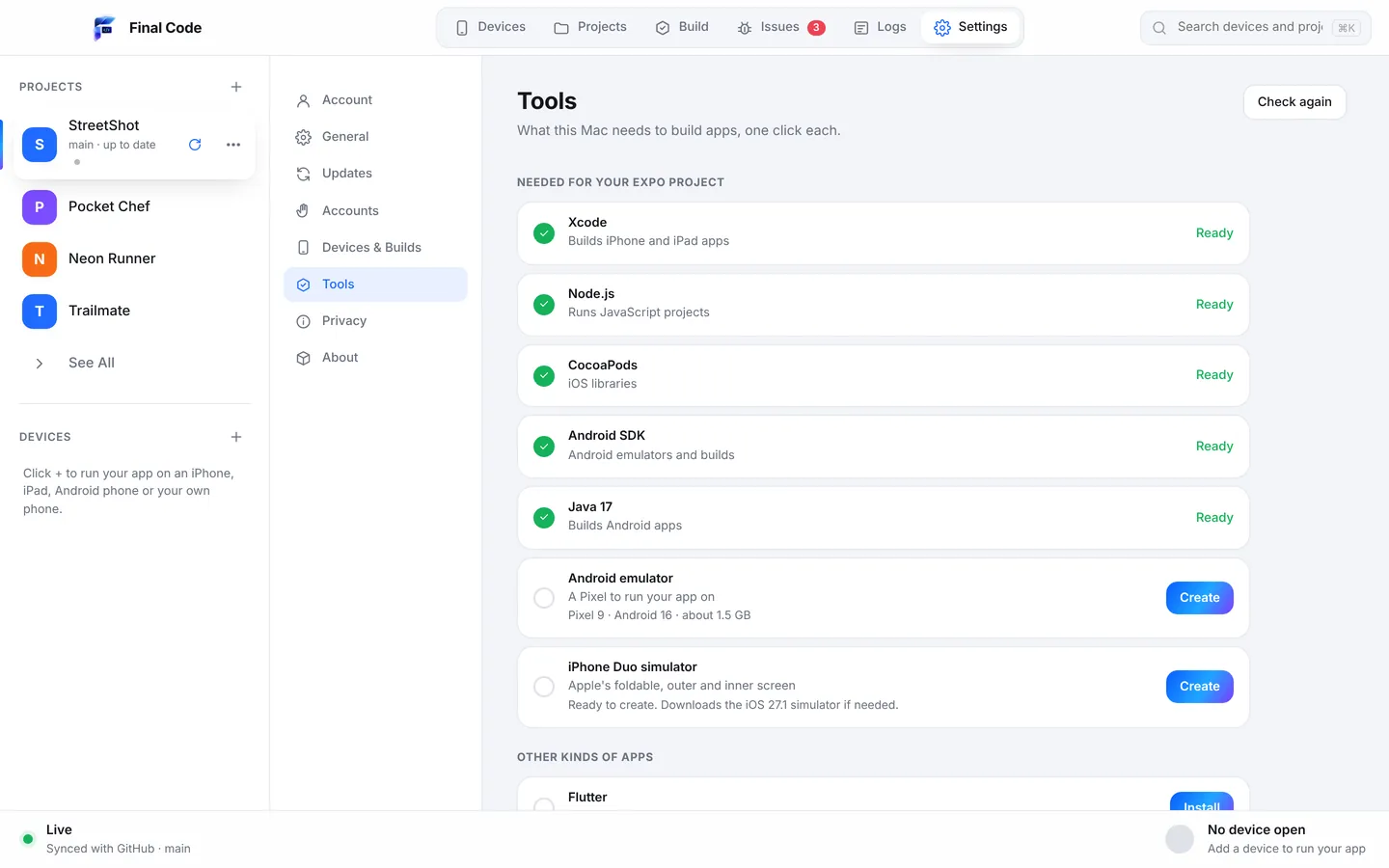
If you design for Apple's foldable, add an iPhone Duo simulator. Final Code can create one if you have a recent Xcode. Then switch each simulator between light and dark, and try a larger text size. Those two settings break more layouts than any screen size.
Keep Xcode up to date, but not mid-project
A new Xcode can bring new simulators and new requirements for your project. Update between features, not the day before a demo. After an update, open Xcode once so it can finish installing its components before you build anything.
Android tips
Turn on USB debugging
- Open Settings, then About phone.
- Tap Build number seven times. On some brands it is inside Software information. You will be asked for your PIN, then see a message that developer options are on.
- Go back and open Developer options. It is often under Settings, System.
- Switch on USB debugging.
- Connect the phone and tap Allow on the prompt. Tick "Always allow from this computer".
The phone charges but the Mac does not see it
Many cheap cables carry power only. Try the cable that came with the phone, or any cable you know transfers files. Also pull down the notification shade on the phone: if it says "Charging this device via USB", tap it and choose File transfer. Some phones only show the debugging prompt after that.
Pair an Android phone over Wi-Fi
On Android 11 and later you can skip the cable. In Developer options, turn on Wireless debugging, tap its name, then tap Pair device with pairing code. Type the six-digit code into the tool on your Mac while the pairing screen is still open; the code changes if you close it. Both devices must be on the same network. Guest networks and some office networks keep devices apart, so if pairing never finishes, try a home network or a phone hotspot.
Wireless debugging keeps turning off
Android switches Wireless debugging off when the phone changes networks, and some phones also do it after a restart. Once paired, you only need to switch it back on; you do not need to pair again. Keeping the phone on the charger and the screen awake during long test sessions helps too.
Choosing Android emulators
Android runs on far more screen shapes than iPhone. A good starter set is a small phone, a large phone, and one older Android version you still support. Use images with Google Play services if your app uses sign-in with Google, maps or push messages, because plain images leave those out. Give each emulator a name that says what it is for, like "Small, Android 12", so you can tell them apart months later.
"App not installed" on Android
This usually means a different copy of the app with the same package name is already on the phone, signed with a different key. A store version and a test version cannot both be installed unless they have different package names. Uninstall the existing copy, then install again. Note that uninstalling removes the app's saved data.
General testing tips
Test the release build before you share
Development builds are forgiving. Release builds are optimised, strip debugging helpers and sometimes crash where development did not. Before you send an app to anyone, run the release build on at least one real phone. Final Code puts release builds on real phones by default for this reason.
Test offline and on a slow connection
Most apps are built on fast office Wi-Fi and used on a train. Switch a device to offline and see what happens: a friendly message, or an endless spinner? In Final Code, the inspector for each device lets you switch the network between Wi-Fi, 5G and offline in one click.
Check the screens people forget
Empty lists, very long names, a failed payment, a denied permission, the first launch after install. These screens rarely get tested because they are hard to reach. Make a short checklist and run it on every release.
Keep your old builds
When a bug appears, the fastest question is "did the last build have it?" If you keep each build with its commit, you can answer that in a minute. Final Code keeps a build history of every build that went on a real phone, with its commit, date and size, and reinstalls any of them in one click.
Write down what you were doing
A crash report without steps is a puzzle. Note the device, what you tapped and what you expected. Better still, let a tool collect it: Final Code's Share problem report includes the file and line, what changed since the app last worked, the device and the Mac, with secrets removed.
Free up disk space before a big build
Simulators, emulators and build caches grow quietly. If builds fail with strange errors about writing files, check free space first. Delete simulators for iOS versions you no longer support, and remove emulator images you never start. Shared caches, like the one Final Code uses across all projects, help keep the total down.
Want all of this in one place?
Final Code is an easy to use Mac app that handles most of these steps for you: it installs the tools your Mac needs with one click each, signs iPhone apps automatically, pairs Android phones over Wi-Fi with a code, and runs simulators, emulators and real phones. Download Final Code to try it free for 14 days, or see pricing.
How do I fix "Untrusted Developer" on my iPhone?
Open Settings, General, VPN & Device Management. Under Developer App, tap the profile with your name or team, then tap Trust and confirm. The app will open normally after that. If you cannot find the menu, install the app first, because the profile only appears once an app signed with it is on the phone.
How do I turn on USB debugging on Android?
Go to Settings, About phone, and tap Build number seven times to unlock developer options. Then open Developer options, usually under Settings, System, and switch on USB debugging. Connect the phone with a data cable and tap Allow when it asks to trust your computer. Tick "Always allow" to skip the prompt next time.
Why is my Android phone not showing up on my Mac?
The three usual causes are a charge-only cable, USB debugging switched off, or the trust prompt not accepted. Try a data cable, check developer options, and look for the Allow prompt on the phone's screen. If the notification shade says the phone is only charging, tap it and choose File transfer.
Which iOS simulators should I test on?
Cover the extremes instead of every model: the smallest iPhone you support, the largest Pro Max, and an iPad if your app runs on it. Then try each in dark mode and with larger text, because those settings break layouts more often than screen size does. Add an iPhone Duo simulator if you design for the foldable.
How do I pair an Android phone over Wi-Fi?
On Android 11 or later, open Developer options, turn on Wireless debugging, tap it, and choose Pair device with pairing code. Enter the six-digit code on your Mac while the screen is still open. The phone and Mac must be on the same network, and guest networks often block it.
Where can I learn how to test my app on iPhone and Android?
Our full guide, How to test your app on iPhone and Android, compares every method, from simulators and emulators to TestFlight, Play internal testing, Expo Go and cloud devices, with numbered steps and honest pros and cons, then shows how to run them in one window.
Less setup, more testing.
Final Code installs the tools, connects the phones and runs every device. Free for 14 days.